
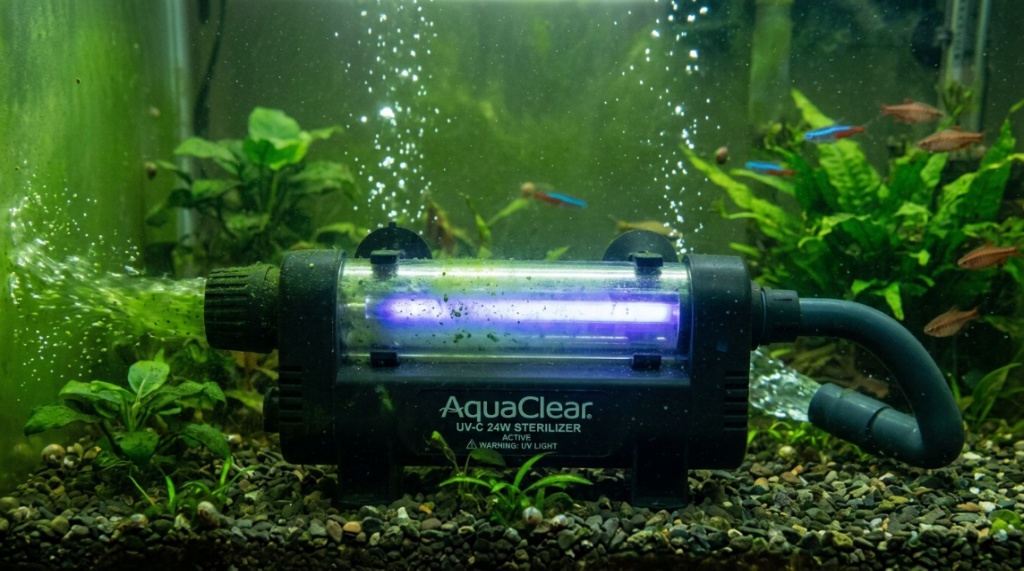
You walk up to your aquarium one morning, and it looks like someone dumped a bottle of pea soup into the tank. The water is green and cloudy, and your fish are barely visible. You have a full-blown algae bloom, and the culprit is floating microscopic algae. You want it gone, and you want it gone fast. The most effective chemical-free solution is a clear green water aquarium UV filter. These devices use ultraviolet light to kill single-celled algae instantly, restoring crystal-clear visibility in hours or days. Let’s break down exactly how this works and how you can fix your green water problem today.
What Causes Green Water in Your Aquarium?
Understanding the Root of the Problem
Green water is not a bacterial infection or a filter failure. It is a planktonic algae bloom. These free-floating single-celled organisms multiply rapidly when three conditions align: excess light, excess nutrients (nitrates and phosphates), and warm water. Unlike hair algae or spot algae that stick to surfaces, these algae float freely, turning your water into a murky green soup.
Why Your Fish Are Unhappy
While the algae themselves are not toxic to fish, the bloom consumes oxygen at night and can cause pH swings. It also blocks light from reaching live plants. More importantly, it stresses fish because they cannot see their surroundings. A stressed fish is more susceptible to disease. Clearing the green water restores a healthy environment.
Common Triggers to Avoid
- Leaving aquarium lights on for more than 8 hours a day
- Direct sunlight hitting the tank
- Overfeeding your fish
- Infrequent water changes
- Overstocking the aquarium
How Does a UV Filter Actually Kill Green Water?
The Science Behind UV Sterilization
A UV filter forces water past a high-intensity ultraviolet bulb. The UV-C light at 254 nanometers damages the DNA of algae cells, bacteria, and protozoa. Once the DNA is damaged, the cell cannot reproduce. Within a few hours, the dead cells lose their green pigment and the water clears. This is a purely physical process—no chemicals enter your tank.
Flow Rate Matters More Than Size
If water flows through the UV chamber too quickly, the algae cells do not receive a lethal dose. You need a pump that moves water at a rate matched to the filter’s dwell time. Most manufacturers recommend a flow rate of 100–200 gallons per hour for a 15-watt unit. Too slow, and water recirculates without treatment. Too fast, and the light passes right through the algae.
Wattage and Tank Size Guidelines
| Tank Size | Recommended UV Wattage | Flow Rate (GPH) |
|---|---|---|
| 10–20 gallons | 5–9 watts | 50–100 |
| 25–55 gallons | 9–15 watts | 100–200 |
| 60–100 gallons | 15–25 watts | 200–300 |
| 100+ gallons | 25–40 watts | 300–500 |
Why Choose a UV Filter Over Other Methods?
The Chemical Route Is Risky
Algaecides and chemical clarifiers can kill algae quickly, but they often crash your biological filter. They leave behind dead organic matter that rots and spikes ammonia. UV filters avoid this entirely by physically removing the algae without altering water chemistry.
Blackouts Only Provide Temporary Relief
Turning off your lights for three to five days can kill a bloom, but it also stresses your plants and doesn’t address the nutrient levels. Once the lights come back on, the algae often returns faster than before. A UV filter provides a permanent solution without starving your plants.
Filtration Alone Cannot Catch Floating Algae
Standard mechanical filter media like sponges or floss can trap some algae, but the cells are so tiny—around 2 to 10 microns—that they pass right through. UV filters target the precise size range you need to eliminate.
How Fast Can You Expect Results?
Visible Changes in 24 to 48 Hours
Most hobbyists report a noticeable reduction in green tint within the first day. The water will start to look pale rather than dark green by the second day. Full clarity typically returns in three to seven days, depending on the severity of the bloom and the size of your UV unit.
Factors That Speed Up the Process
- Running the UV filter 24 hours a day
- Pre-filtering with a fine mechanical pad
- Performing a 25% water change before starting UV
- Reducing lighting to 6 hours per day
When You Might See Slower Results
If your tank is heavily stocked or you have a nutrient overload, the algae die-off releases phosphates back into the water, which can feed new growth. In this case, add a phosphate-removing media like GFO (granular ferric oxide) alongside the UV filter.
Can a UV Filter Harm Your Beneficial Bacteria?
The Misconception About Sterilization
Many aquarists worry that UV filters kill the good bacteria in their biofilter. This is largely a myth. Beneficial bacteria live on surfaces—in your filter media, on your substrate, and on your decorations. They do not float freely in the water column. A UV filter only treats water passing through the unit, so the vast majority of your beneficial bacteria remain untouched,
Looking to safeguard your aquatic pets during maintenance? Check out our guide on How to Protect Delicate Fish with a Safe Net.
What UV Filters Actually Kill
UV light kills free-floating pathogens, parasites like Ichthyophthirius multifiliis (Ich), and fungal spores. This makes UV filters excellent for disease prevention. The only free-swimming beneficial bacteria that are removed are those in the water column, which make up less than 1% of your total biofilter.
Safe for Planted Tanks
UV filters do not harm live plants. The water clears, allowing more light to reach the leaves, which actually benefits plant growth. Just be aware that if you rely on floating plants to block light, they might receive more than they need after the water clears.
Which UV Filter Size Is Right for Your Aquarium?
Matching Wattage to Water Volume
As a rule of thumb, use 1 watt of UV power for every 10 gallons of water. A 20-gallon tank needs at least a 9-watt unit. A 75-gallon tank needs 15 watts or higher. Under-sizing is the most common mistake. A unit that is too weak will never clear the water completely.
Inline vs. Canister vs. Hang-On Models
Inline UV filters are installed directly into your return line from a canister filter. These are the most efficient because they process all the water flow. Canister models with built-in UV are convenient but harder to upgrade. Hang-on UV filters attach to the tank rim and use a small internal pump—these work well for tanks under 30 gallons but are less efficient for larger setups.
Budget Considerations and Quality
You can find affordable options that work well. The key is to choose a unit with a replaceable bulb and quartz sleeve. Cheaper units often use plastic sleeves that cloud over time, reducing UV output. If you are looking for cost-effective options, check out the best clear green water aquarium UV filter recommendations for reliable brands that deliver results without breaking your budget.
How to Install a UV Filter on Your Tank
Step-by-Step Installation Process
- Turn off all pumps and heaters.
- Mount the UV unit according to the manufacturer’s instructions—most must sit horizontally or vertically as specified.
- Connect the inlet and outlet hoses. For inline units, attach the UV to the canister filter output line.
- Fill the UV chamber with water before plugging in the power. Running a dry bulb will crack it.
- Plug in the UV light and check for leaks.
- Turn your main filter back on and monitor flow.
Placement Tips for Maximum Efficiency
Install the UV filter after your mechanical filtration. This ensures the water entering the UV chamber is free of debris that could block the light. If you have a sump, place the UV in the return line. If you have a HOB filter, some brands make clip-on UV units designed for that application.
Common Installation Mistakes
- Using a UV filter that is too powerful for the flow rate (creates dead spots)
- Not cleaning the quartz sleeve regularly (reduces UV penetration)
- Installing the UV filter before the mechanical filter (allows debris to coat the bulb)
When Should You Run the UV Filter?
Continuous Use During a Bloom
During an active green water algae bloom, run the UV filter 24 hours a day until the water is completely clear. This usually takes three to seven days. Do not turn it off at night—algae multiply around the clock.
Maintenance Schedules After Clearing
Once your water is clear, you do not need to run the UV filter permanently. Many hobbyists run it for 8 to 12 hours per day or only for a few days each week. This keeps the water polished and prevents future blooms without over-sterilizing the tank.
Seasonal Use in Outdoor Tanks
If you have an outdoor pond, green water blooms are most common in spring and summer when light intensity is highest. Running a UV filter during these months keeps the water clear. You can remove the bulb or turn it off in winter when algae growth slows.
Are There Any Downsides to UV Filters?
Replacement Bulb Costs
UV bulbs lose approximately 50% of their output after 6 to 9 months of continuous use. You need to replace the bulb annually. A replacement bulb costs between $15 and $40 depending on the brand. This is a recurring expense that some owners overlook.
Heat Generated by the Unit
UV filters add a small amount of heat to your water, typically 1 to 3 degrees Fahrenheit depending on the wattage. In a heavily planted tank or during summer, this can be an issue. Make sure your aquarium thermometer monitors this.
Not a Cure-All for Algae
UV filters only kill floating algae. They do nothing for algae growing on glass, rocks, or plants. You still need to manually clean surfaces, reduce light, and manage nutrients. UV is a powerful tool, but it is part of a broader maintenance strategy.
What Happens to the Dead Algae After UV Treatment?
The Decomposition Process
When UV light kills algae cells, the cell walls break down and release the green pigment into the water. This pigment, along with the dead organic matter, must be removed by your mechanical filter. You may notice your filter pads clogging faster during the first few days of UV use—this is normal and indicates the system is working.
Preventing a Nutrient Spike
Dead algae release phosphates and nitrates back into the water. If your tank already has high nutrients, this can trigger a new bloom. Perform a 25% water change two days after starting UV treatment. Also consider adding a chemical media like Purigen or activated carbon to absorb the released organic compounds.
Using a Fine Filter Pad for Speed
Switch to a fine mechanical filter pad (around 20 microns) during UV treatment. This catches more dead algae particles and helps the water clear faster. Wash or replace the pad every 48 hours during the clearing process.
How to Prevent Green Water From Returning
Light Management Is Critical
Limit aquarium lighting to 8 hours per day. Use a timer to maintain consistency. If your tank receives indirect sunlight, consider repositioning it or using a background to block light. LED lights with adjustable intensity can also be dimmed.
Nutrient Control With Regular Water Changes
Perform weekly water changes of 20% to 30%. Vacuum the substrate to remove excess waste and uneaten food. Test your water regularly for nitrates and phosphates. Use live plants to compete with algae for nutrients—fast-growing stem plants like hornwort and water sprite are excellent choices.
Biological Filtration Maintenance
Do not over-clean your biological filter media. Rinse it gently in tank water during water changes to preserve beneficial bacteria. A healthy biofilter prevents ammonia and nitrite spikes that can stress fish and trigger algae blooms.
Frequently Asked Questions
Will a UV filter kill my fish?
No. The UV light is completely contained inside the unit. The water that returns to the tank is sterile but contains no residual UV light. Fish, plants, and beneficial bacteria on surfaces are not harmed.
How long should I run a UV filter to clear green water?
Run it 24 hours a day for 3 to 7 days. Most blooms clear in 4 to 5 days. Once the water is clear, you can switch to an 8- to 12-hour daily schedule for maintenance.
Can I use a UV filter in a tank with shrimp or snails?
Yes. UV filters are safe for invertebrates. Shrimp and snails are not harmed by UV-treated water. However, if you have larval shrimp or fry that are free-swimming, they could be killed if they pass through the UV chamber. Use a pre-filter sponge to protect them.
Do UV filters need a separate pump?
Some UV filters come with a built-in pump (hang-on models). Others, called inline units, rely on your existing canister filter pump. Always check the flow rate compatibility between your pump and the UV unit.
Why is my water still green after 7 days of UV?
Several possibilities: the bulb may be too old, the flow rate may be too fast, the unit may be under-sized for your tank, or there could be a high nutrient load feeding new algae. Consider adding a phosphate remover and replacing the UV bulb.
Should I turn off the UV filter when medicating my tank?
Yes. UV light can break down many medications, especially antibiotics and formalin-based treatments. Turn off the UV filter for the duration of the treatment and for 24 hours after the final dose to allow medication to work.




Leave a Reply